Manage / Invoicing
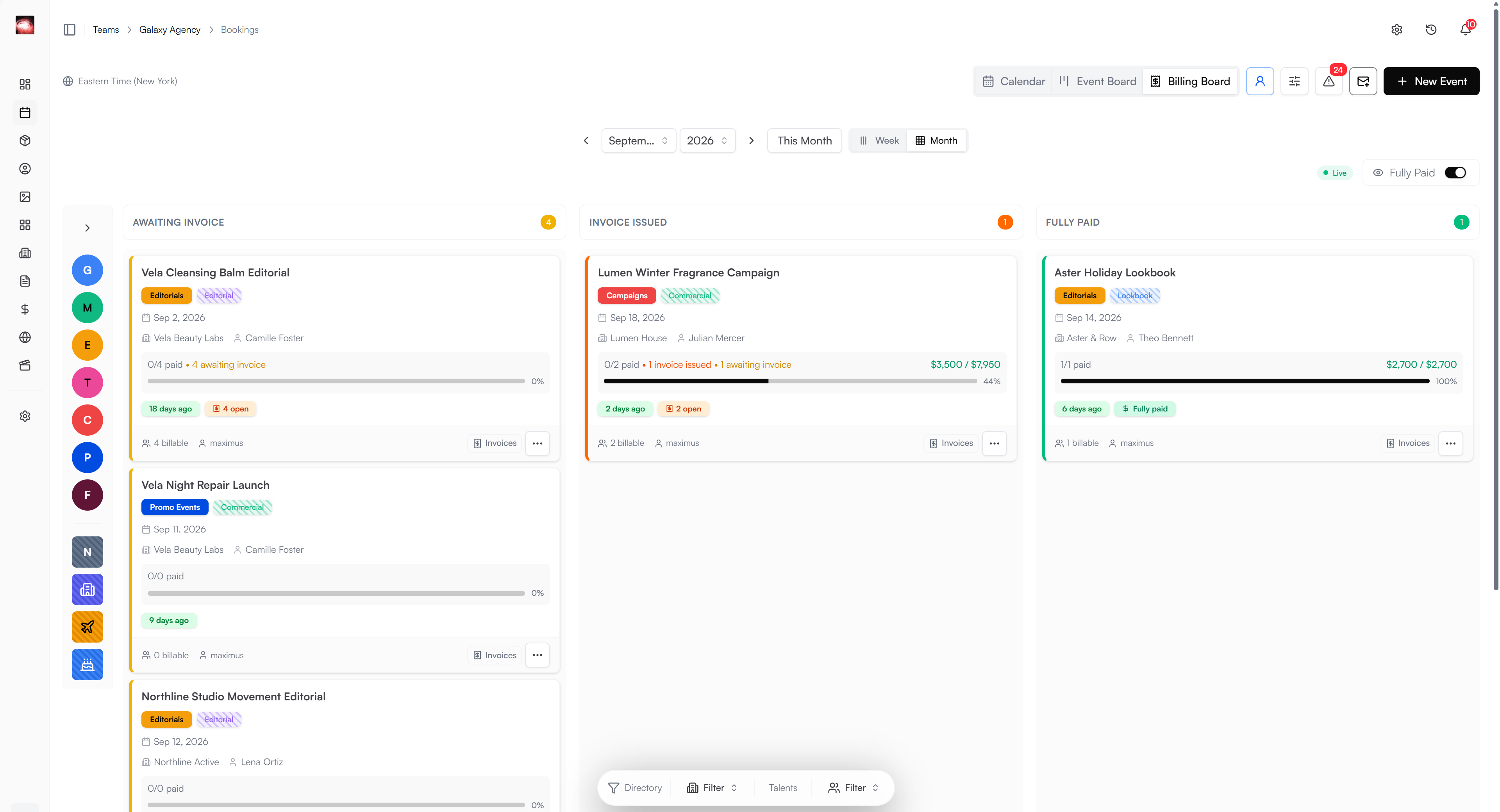
From booking to payment.
Create invoices from the bookings you already manage. Send the client a clear bill and track what’s paid, what’s outstanding, and what needs a correction.
Get StartedKnow where the invoice stands
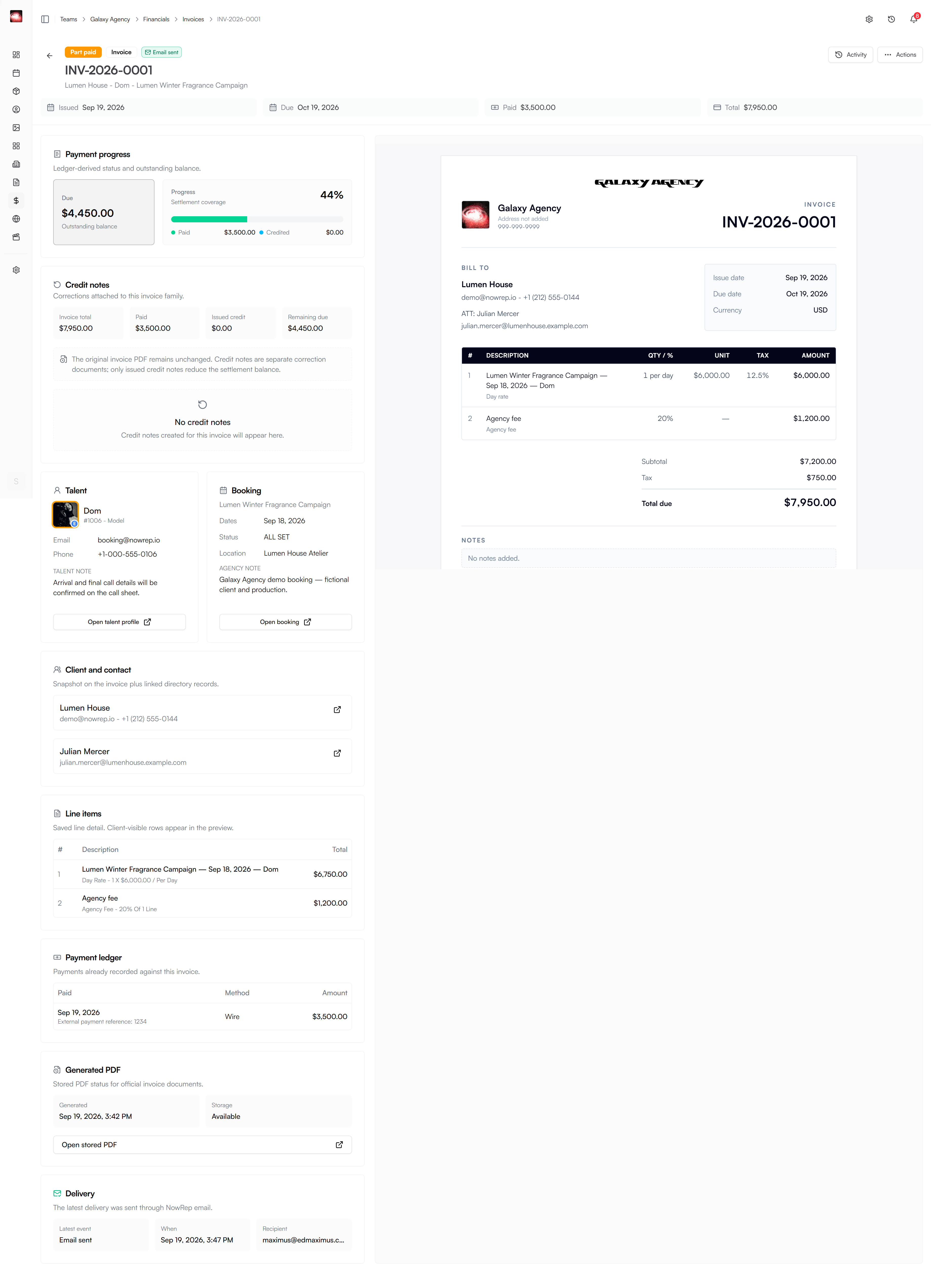
The invoice page puts payment progress and credit notes beside the official invoice preview, linked talent, and booking.
Review before sending
Prepare line items, submit the draft for review, and generate the invoice PDF before delivery.
Record each payment
Record payment amounts and dates, including partial payments, and see the remaining balance.
Keep corrections traceable
Use credit notes for eligible invoice corrections while retaining the original invoice record.
A Closer Look
Follow the invoice by state
Give your team a clear picture of each booking’s financial progress. See what needs invoicing, which payments are outstanding, and which clients have paid in full.